Comments & Track Changes for .doxc imports & exports
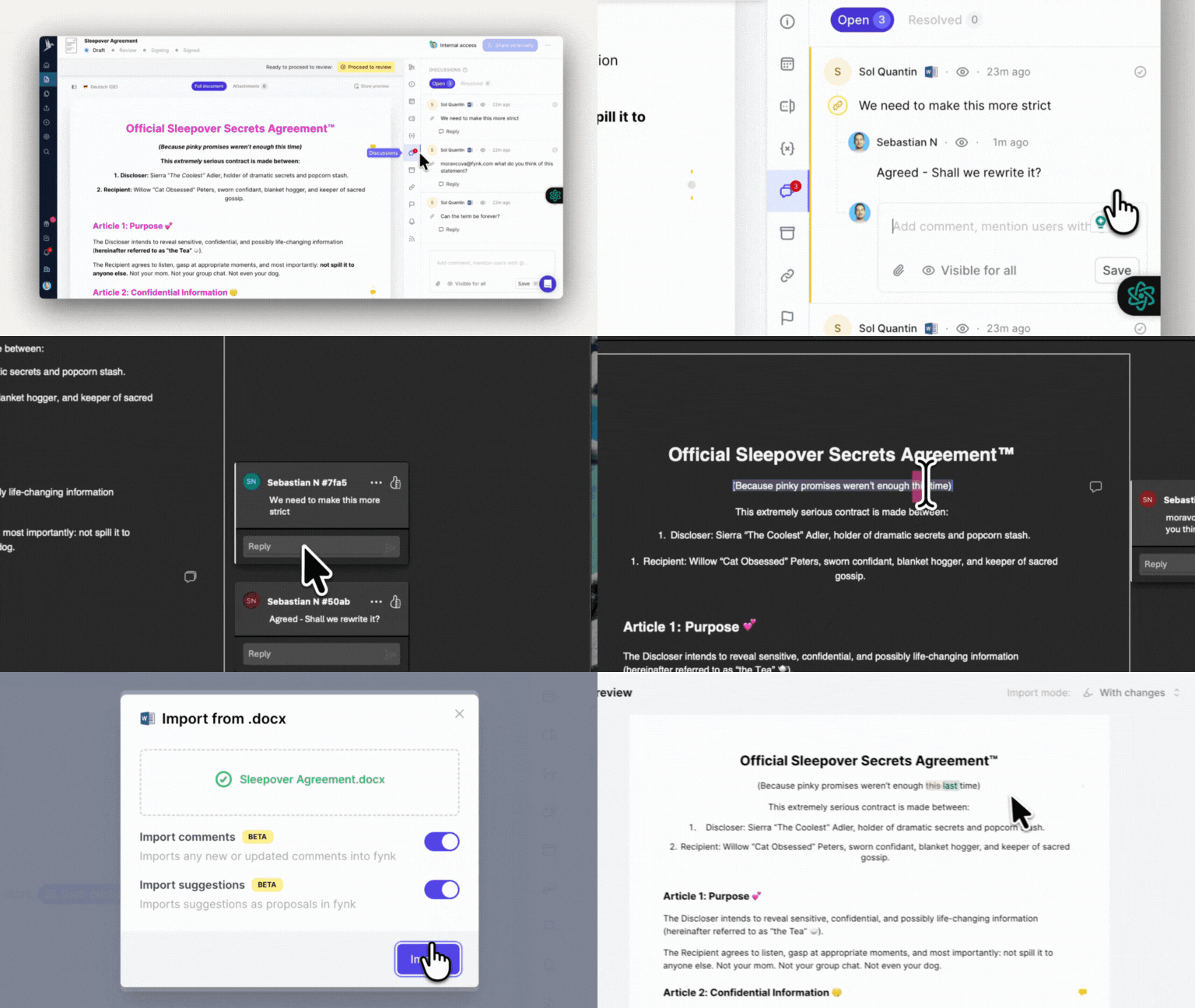
Working with external parties can be hectic. But not in fynk. And this new feature for Word docs proves it. Yes, yes… I know. Today’s update is all about PDFs, but this is too good to keep quiet.
Comments and stages from your Word files now come straight into fynk. Exactly what you’re thinking: your colleague’s note on the exclusivity clause or your lawyer’s question about “the other party” section? All preserved. Nothing gets lost.
Here’s how it works:
📥 Import a Word doc → All comments and track changes are automatically transferred into fynk as external comments and proposals, tagged with the original author’s name.
When importing, you decide:
🔵 Before changes → ignore suggestions
🟠 With changes → upload suggestions as proposals
🟣 With applied changes → treat suggestions as accepted
Any old proposals missing in the new version? fynk automatically marks them as resolved, keeping everything tidy.
And it works the other way around too. You can export from fynk to Word for those who can’t let go of .docx.
Your file goes out with comments and proposals included, track changes turned on. When edits come back, fynk maps them to the right comments and keeps the conversation flowing.